
The market had a rough week. Tech stocks fell, oil went higher, and the VIX jumped over 12%. With all the noise, it helps to step back and focus on what matters.
StockCharts now offers a fresh Screener button on the dashboard. It’s still in beta, so your feedback is valuable.
What can the Screener do? It lets you move from a broad market view to a short list of stocks that meet the rules you set. You could do this before, but the new tool does it faster and in a slightly different way.
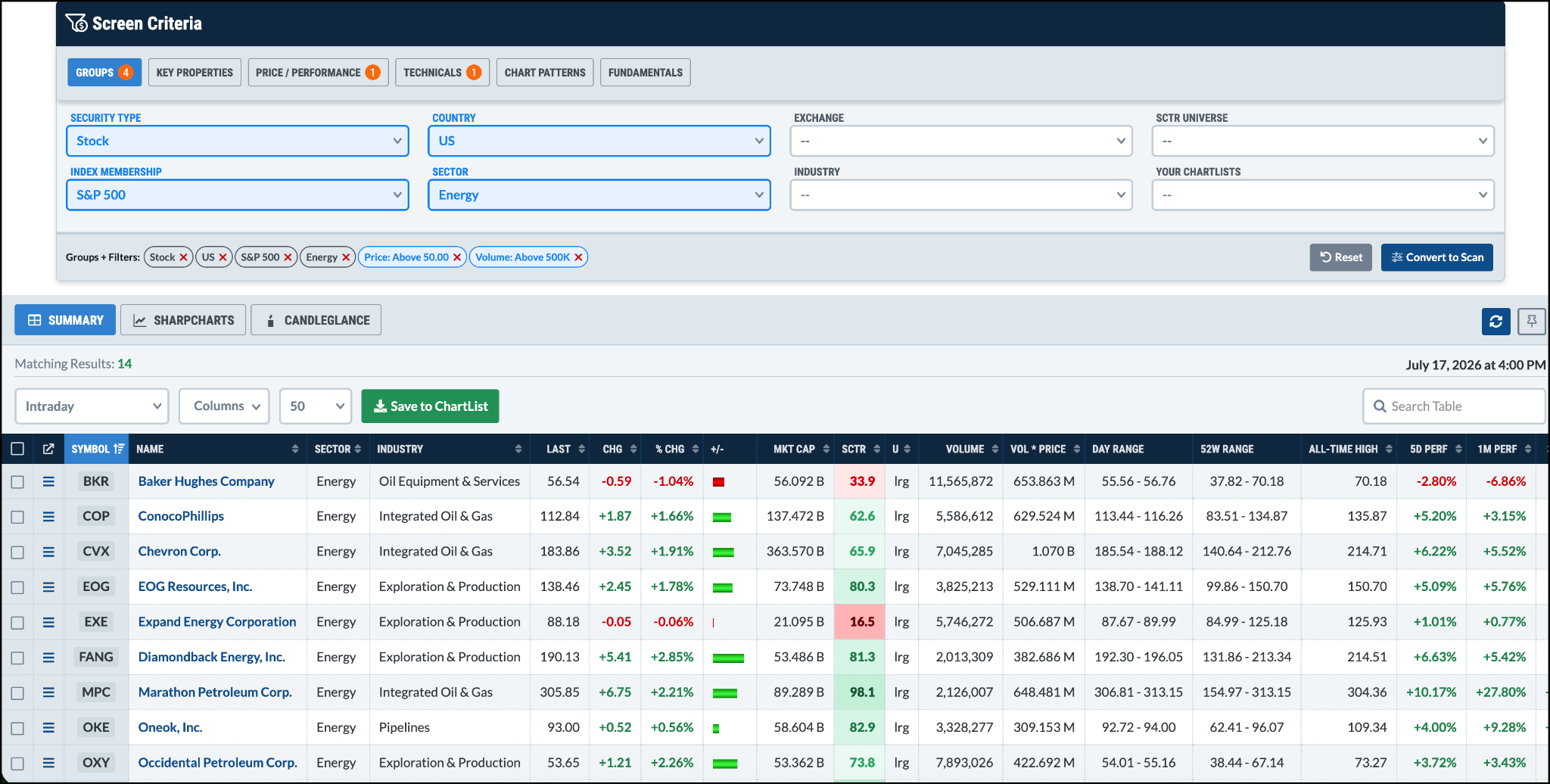
After you build a screen, click Convert to Scan. This turns your screen into a ready‑made scan without starting from scratch.
The criteria are grouped into sections such as Groups, Key Properties, Price/Performance, Technicals, Chart Patterns, and Fundamentals. As you pick options, they appear at the bottom of the screen, so you always see what you’re building.
You can also save each screen. That means you can have a growth‑stock screen for bull markets, a fundamentals screen for value picks, and a breakout screen for fast movers.
Below the criteria box, the matching symbols appear. You can look at them in Summary, SharpCharts, or CandleGlance view. In Summary view, click any symbol to add it to a ChartList.
Take some time to try different combos. Once you get comfortable, the Screener can become a handy part of your daily market routine.
Remember, the Screener is just one of many tools on StockCharts. You also have advanced charts, scanners, alerts, and ChartLists to keep your analysis organized.
Have a great weekend!
Source: Materials provided by https://articles.stockcharts.com.Note: Content may be edited for style and length.