
Did the market’s moves this week make you feel dull?
Last week was tough for the stock market, especially for technology and AI‑related companies. Investors worry about how these firms will pay for huge data‑center projects.
One example is CoreWeave (CRWV). Its price fell more than 25% in just a few days. That drop pulled the S&P 500 down 1.95% and the Nasdaq Composite down 4.48% for the week. The Dow Jones managed a small gain of 0.67%.
Even though the mood was gloomy, market pullbacks can hide good buying chances. A brand‑new feature can help you find those chances faster.
What is the AI Scan Wizard?
Friday selloffs are never fun. They leave you wondering if the weakness will continue or if it’s a chance to buy solid stocks at lower prices.
After the market closed on Friday, I opened the Scan Workbench to look for stocks that were holding up or that were clearly oversold.
Building a custom scan from scratch can feel long and scary. That’s why the AI Scan Wizard was created – to make the process quick, easy, and even enjoyable.
How simple is it to use?
I went to the Scans & Alerts area, opened the Advanced Scan Workbench, and clicked the AI Wizard button at the top right of the Scan Components panel.
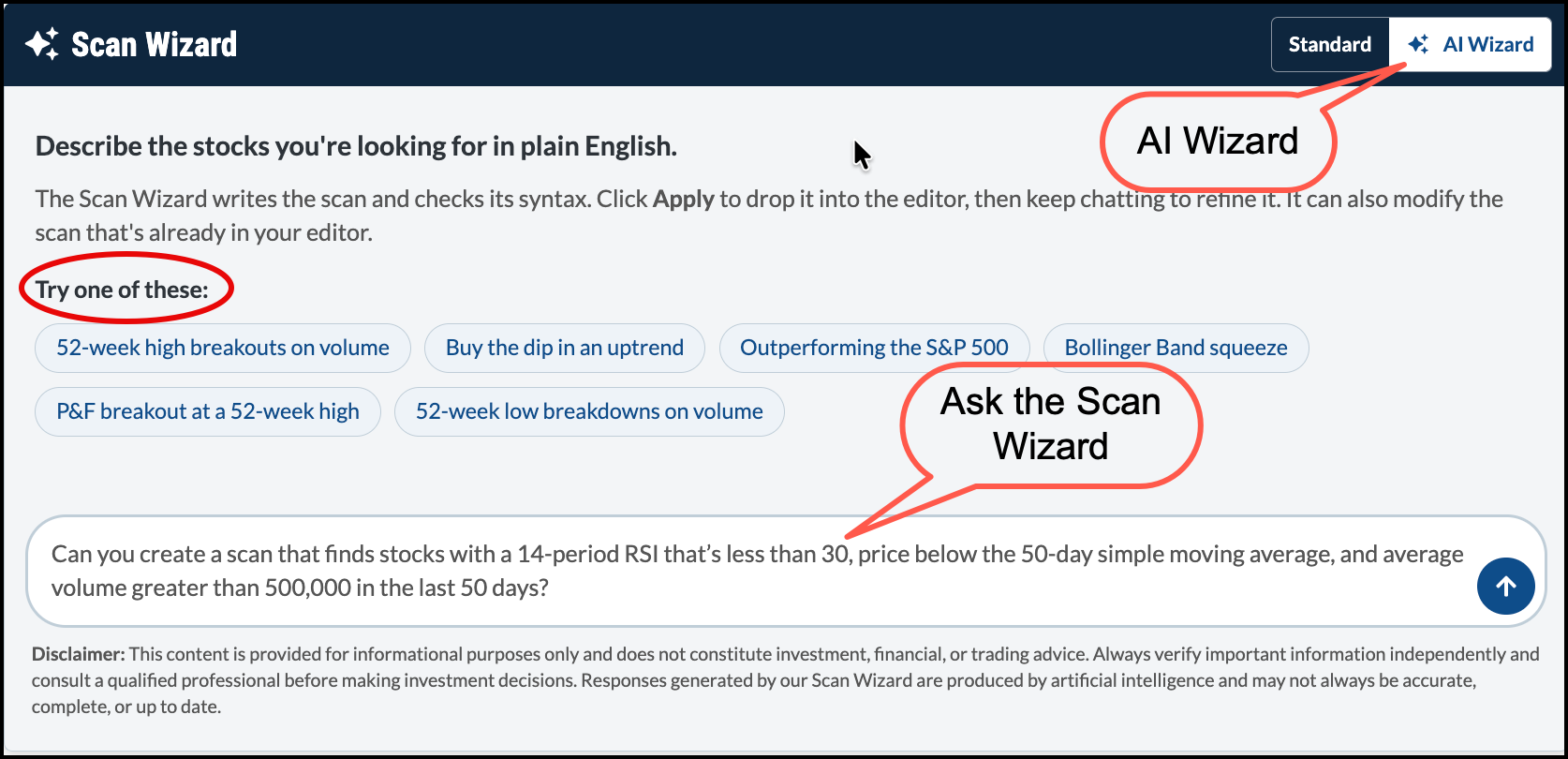
Then I typed a plain‑English request: “Find stocks with a 14‑period RSI under 30, price below the 50‑day simple moving average, and average volume over 500,000 in the last 50 days.”
The wizard answered in seconds, producing the exact code needed.

I clicked Apply. The scan copied into the editor, and I quickly checked it by pressing Validate & Explain. The wizard confirmed the syntax and gave me a simple English description. If I needed a tweak, I could ask the wizard again until it matched what I wanted.
From one idea to dozens of results
Running the scan returned 67 stocks from large‑cap, mid‑cap, small‑cap, and Nasdaq‑100 groups. CoreWeave appeared among them.
That speed saves a lot of time. You can ask the wizard to focus on certain sectors or indexes, or try built‑in scans like “Buy the dip in a downtrend.”
If you ever feel stuck creating scans, just type a simple request such as, “Create a scan for large‑cap stocks that are heavily oversold.” The wizard will do the heavy lifting.
Remember, an oversold signal only tells you a stock meets the criteria. The real work is looking at the chart and deciding if it’s a good trade.
Making the process smarter
The AI Scan Wizard shows how artificial intelligence can help investors. I’m not looking for a robot to place trades for me, but I love any tool that saves time and points out strong setups.
So don’t let a weak market week ruin your weekend. Log into your account, fire up the AI Scan Wizard, and build a few scans to be ready for the week ahead.
Enjoy a productive weekend!
Source: Materials provided by https://articles.stockcharts.com.Note: Content may be edited for style and length.